
YOUR WORKSPACEFirst, make it
First, make it
your own.
Your shop. Your menu. Your prices. A private workspace that keeps the day’s work together.
Shop details on screen and on every receipt.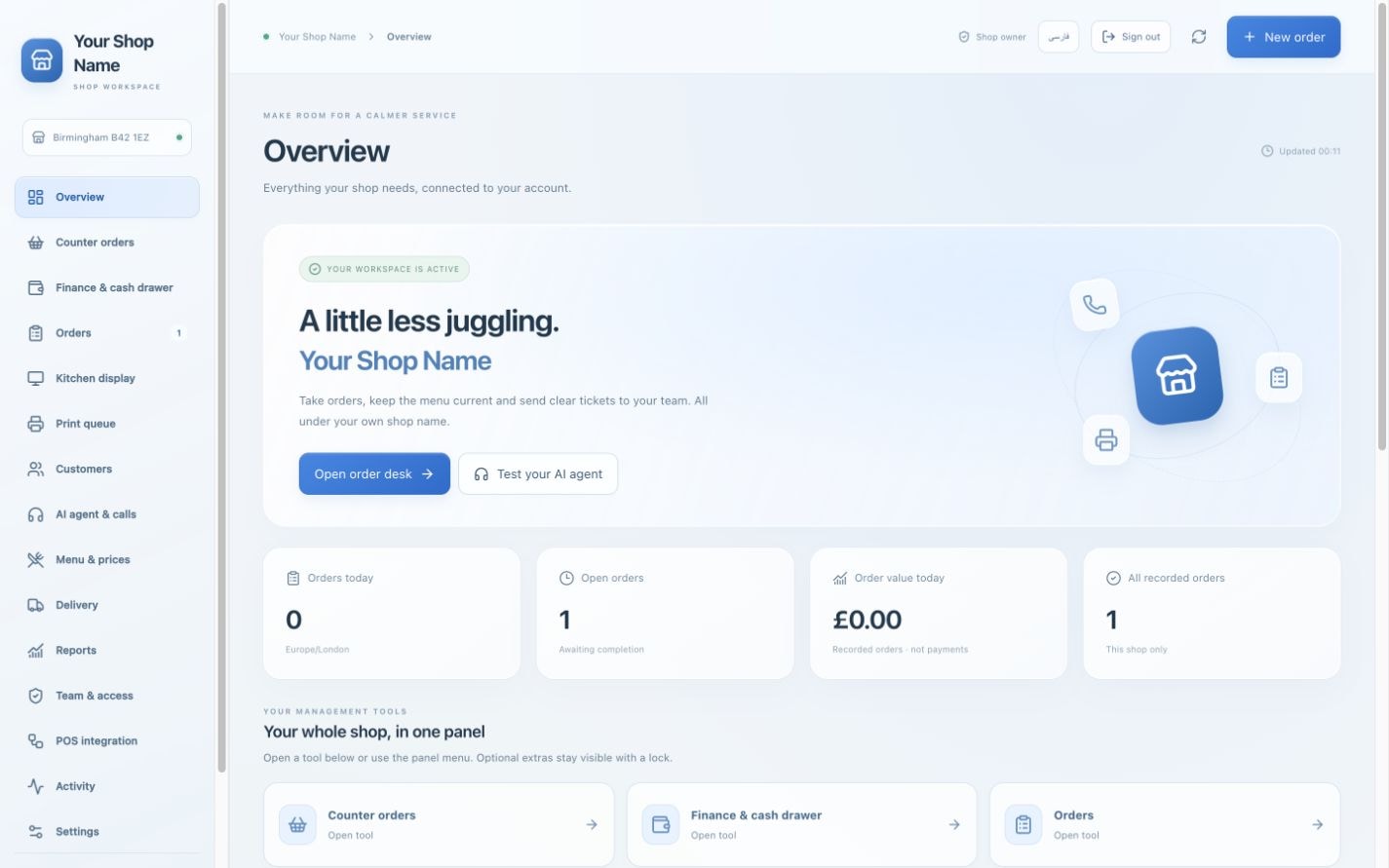

ORDERS, MENUS AND AI IN ONE WORKSPACE
Take walk-in orders, keep your menu up to date and set the rules for your AI assistant. Choose a package or build the setup your shop needs.
Current Aradi interface, shown with sample shop and order data.
Your shop. Your menu. Your prices. A private workspace that keeps the day’s work together.
Shop details on screen and on every receipt.Find the pizza. Choose the size. Make the changes. Keep the whole order in one screen.
Sizes · topping changes · item notes · discounts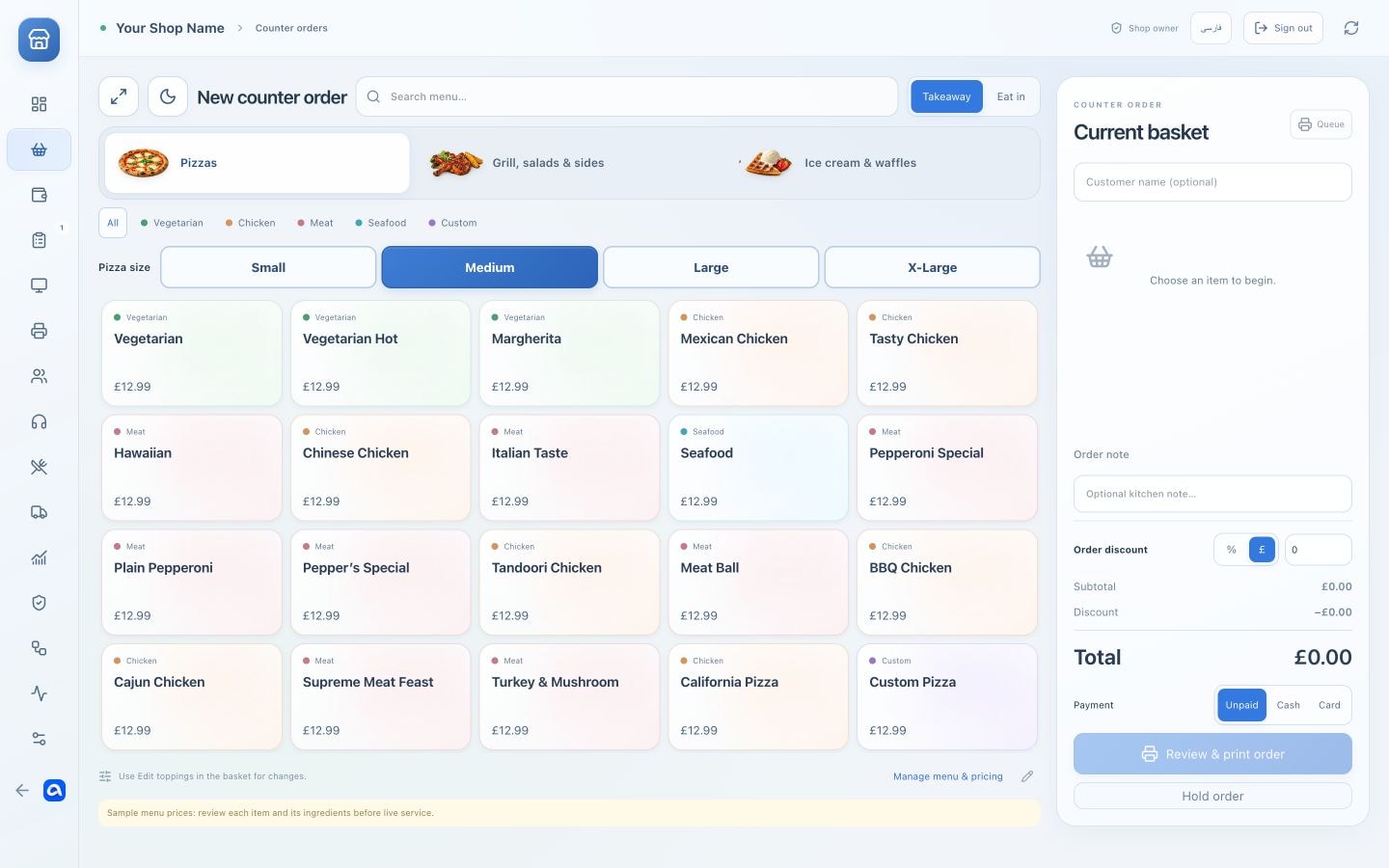
Give your assistant the menu and the rules. Test how it takes an order before connecting a telephone line.
Browser voice testing included. Telephone connection is separate.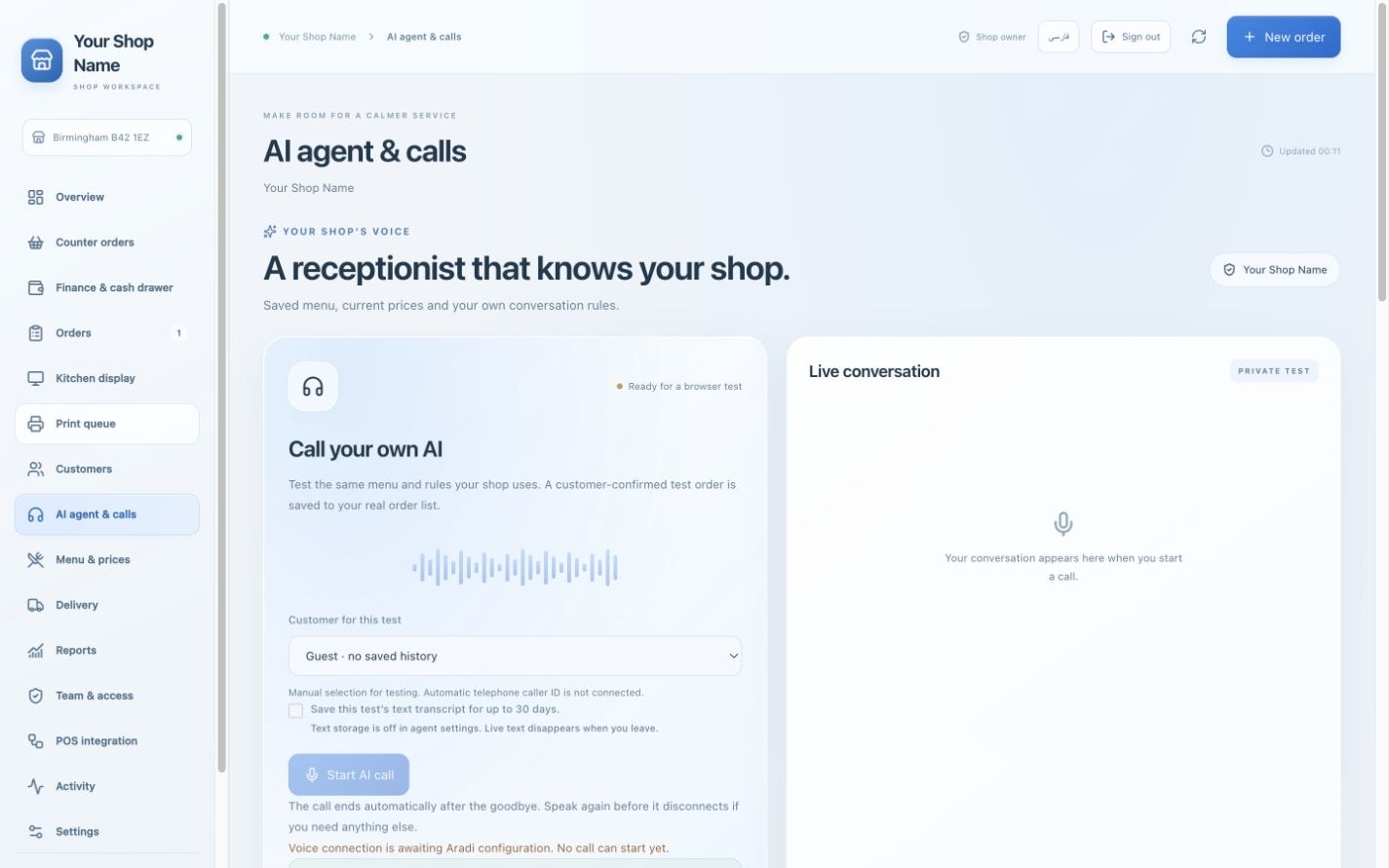
The items, the changes and the order status stay together. Your team sees what needs preparing next.
Confirmed → preparing → ready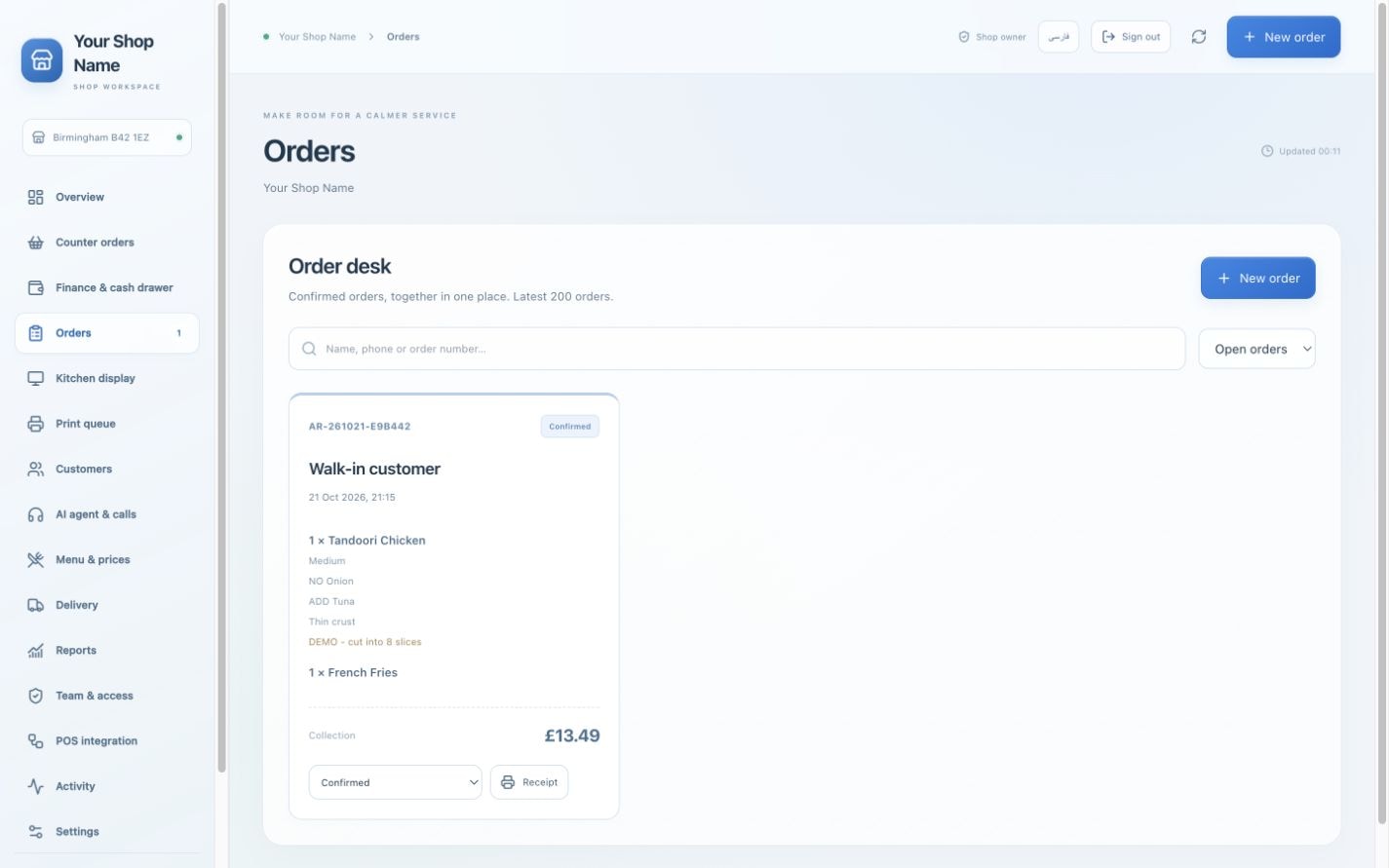
Your shop name. The complete order. A clear ticket for the people making the food.
Automatic printing needs a compatible printer and configured bridge.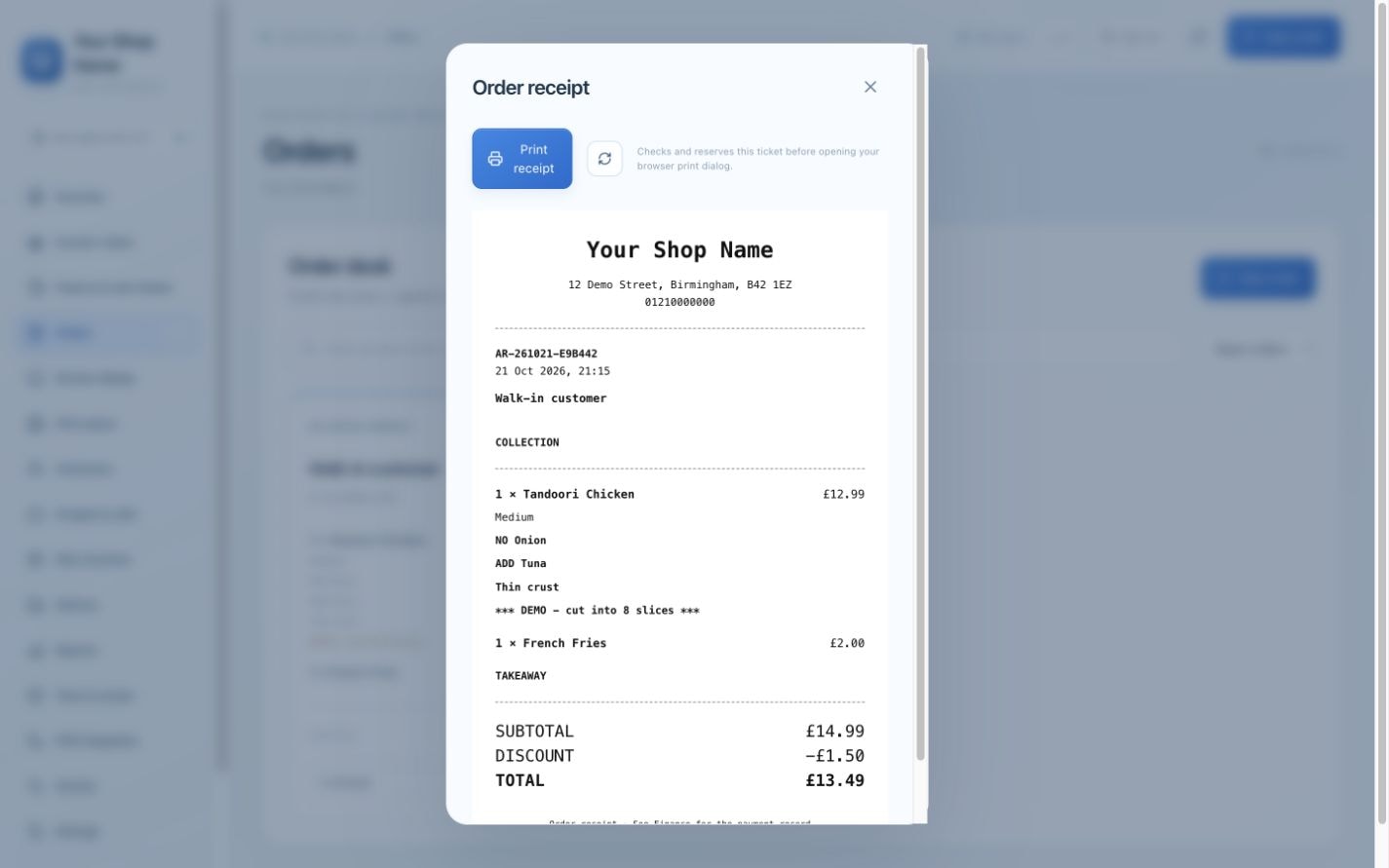
IN-STORE ORDERING · INCLUDED IN EVERY PLAN
Find the item. Choose the size. Make it theirs. Your staff can take a complete walk-in order in one dedicated screen, with your own menu and prices.
Colour-coded categories, search and pizza sizes.
Remove or add toppings. Keep an item note.
Apply a discount, record payment and prepare the ticket.
Real Aradi screen with fictional sample menu and prices. New shops add their own items after activation.
Choose your counter setupWORK WITH PRINTED TICKETS
Run your orders from the main panel and use printed tickets in the kitchen. Add a separate kitchen display if your business needs one.
View the core setupEnter the order or use the browser AI test with your menu. Confirm the items, customer requests and total before saving.
Open the confirmed order in the receipt queue and print it through your browser.
Hand the printed ticket to your kitchen staff. A separate kitchen display is available as an optional module.
Automatic printing is a separate connection: compatible printer + configured bridge. No hardware is connected by selecting a plan.
PRODUCT TOUR
Explore the current Aradi interface, from order management to AI settings and receipts. These screenshots use a demonstration shop and sample orders.
FLEXIBLE CONFIGURATION
The core system covers your everyday order workflow. Select additional modules and see the platform estimate update with each choice.
A focused workspace for one shop.
For regular customers and a growing delivery service.
The complete set of current Aradi modules.
Start with Base. Add only the extras you need.
Prices cover the platform for one shop. AI usage, telephone service, hardware and print-bridge setup are additional; tax treatment must be confirmed. Full includes POS export tools; live POS synchronisation needs separate implementation.
YOUR OWN COMBINATION
Start with the Base price and select individual options. Your total updates below.
Unselected modules stay visible with a lock in your panel. Only your activated options can be used.
Save your shop profile, apply a valid coupon and review the amount. Pay manually through the supplied Revolut link; the owner confirms access. An approved 100% discount code can activate the panel directly. No automatic recurring charge is set up.
GETTING STARTED
Register your business, select your tools and prepare your workspace. Each shop has its own branding, menu and customer records.
Compare Base, Deluxe and Full, or build a custom panel.
Add business details, choose a username and password, and optionally upload your initial logo.
Use an approved access code or arrange manual payment and owner approval.
Open your own panel. Add items, sizes, toppings and prices, then test your counter and AI.
No. The core workflow is one panel, browser printing and a paper ticket handed to the cook. A separate kitchen display is optional.
The panel includes a real AI microphone test using your saved menu and rules. Answering a telephone number requires a phone provider and a separate configured connection. Caller ID and live staff transfer are not connected by default.
Confirmed orders enter the receipt queue. Browser printing opens your print dialog. Silent automatic printing requires a compatible printer and a configured local or cloud print bridge; that setup is separate.
It provides order CSV export, provider/setup notes and manual external order references. Live POS synchronisation is not connected and requires a compatible provider and separate implementation.
Your activation request shows the current amount and any valid coupon discount. Payment is manual through the supplied Revolut link and the owner approves access. A valid full-discount code can activate access directly.
No. Your shop name is shown in your own workspace and on receipts. Uploading a logo is optional. Shop details and branding can be edited later.
A dedicated desktop app for walk-in orders, direct printing and authorised offline service.
CONFIGURE YOUR ARADI WORKSPACE
Select your tools, review the platform estimate and register your business to request activation.
Configure your systemAlready registered? Open your account